- DATE:
- AUTHOR:
- Dimensions Team
Dimensions Research Security - improvements
We're introducing several improvements to Dimensions Research Security 2.0, including:
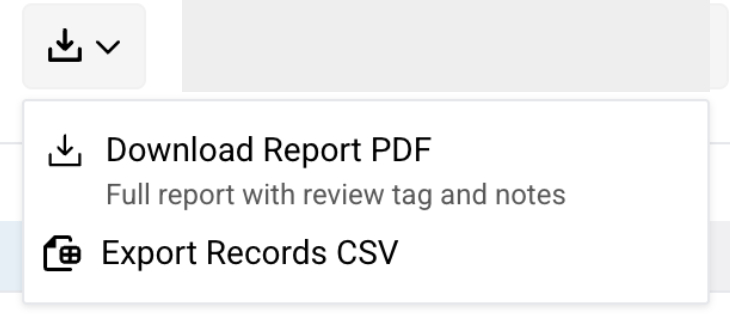
On-demand report pdfs
Users can now generate and download a report PDF directly from the new report export menu at top right at any time, without needing to initiate or complete a review. Exported pdfs from this menu will not be saved to completed reviews.
The on-demand PDF uses the same template as the completion-flow PDF, capturing current profile details, configurations, flags, and date filters without creating or altering review records.
When no configuration is applied, the PDF explicitly notes that no review configuration was selected.
Menu moves
The three dot context menu at upper right of the researcher report now mirrors the landing page context menu, with links to various resource pages, including the user guide.
“Open in” links (Dimensions, ORCID, Google) have moved to a drop down menu accessible via the arrow next to a researcher’s name.
Expanded CSV export fields
We've added highly requested metadata fields to CSV exports: DOI, Family ID (Patents), Collaborations, Raw affiliations, Funders, Jurisdiction (Patents).
Review Configuration improvements
Active & default indicators: Added a visible checkmark next to the currently applied configuration and an explicit "Default" badge next to the default configuration.
Targeted listing: Filter the selector to only show Researcher-type or Organization-type configurations
Streamlined editing: Added a single-click "Save & Close" action to the configuration edit modal
Confirmation feedback: Added a clear notification when switching configurations to confirm the change has been applied.